Apple Threat Notifications: What They Are and How to Stay Protected
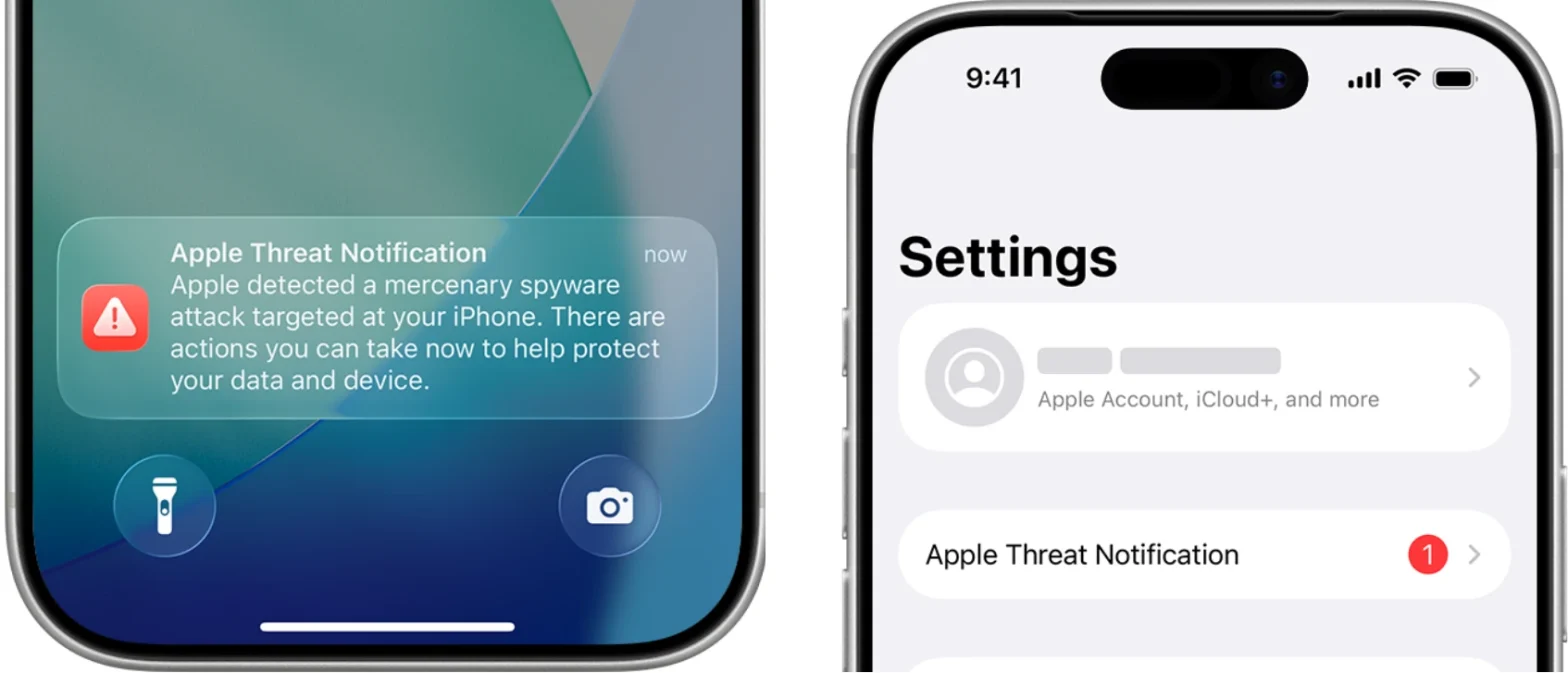
Apple’s threat notifications are high-confidence alerts sent to users who appear to have been individually targeted by mercenary spyware extremely sophisticated, state-backed attacks aimed at specific people such as journalists, activists, politicians, and diplomats. These attacks are rare, costly (often millions of dollars), and designed to compromise a very small number of devices.
What Are Mercenary Spyware Attacks?
Mercenary spyware refers to advanced surveillance tools developed and sold to governments or other powerful actors. Notable examples include Pegasus from the NSO Group. Unlike typical cybercrime, these attacks:
- Target specific individuals based on who they are or what they do
- Use zero-click exploits that require no user interaction
- Cost millions and evolve quickly to bypass defenses
- Are linked to state actors or private firms working on their behalf
How does Apple Deliver Threat Notifications?
If Apple detects activity consistent with a mercenary spyware attack, it notifies the user through multiple channels to ensure the warning is seen:
- Lock Screen alert: A prominent “Apple Threat Notification” appears on the iPhone Lock Screen
- Settings banner: A red-badge notification row appears near the top of Settings
- Email: Sent from threat-notifications@email.apple.com to addresses linked to the Apple Account
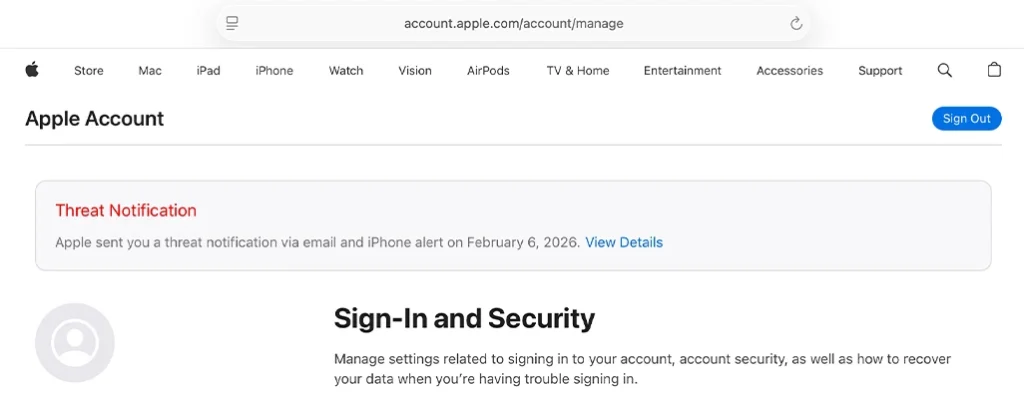
- Account page banner: A notice appears at the top of account.apple.com after sign-in
As of August 2026, Apple has sent these alerts to users in over 150 countries, with recent waves reaching 110 countries in a single round.
What to Do If You Receive a Threat Notification
Apple emphasizes that these alerts should be taken seriously. Recommended steps include:
- Don’t factory reset immediately – Preserve the device state for forensic analysis
- Enable Lockdown Mode – Go to Settings > Privacy & Security > Lockdown Mode > Turn On (requires restart).
- Update your OS – Install the latest software (e.g., iOS 26.6 as of August 2026)
- Contact expert help – Reach out to the Access Now Digital Security Helpline, available 24/7
Apple also confirms that no successful mercenary spyware attacks have been recorded against devices with Lockdown Mode enabled.
Best Practices for All Users
While most people will never be targeted, everyone can improve their security posture:
- Keep devices updated to the latest OS
- Use strong passcodes, Face ID, or Touch ID
- Enable two-factor authentication and strong passwords (or passkeys)
- Turn on Stolen Device Protection
- Install apps only from the App Store
- Avoid clicking links or attachments from unknown senders
If you believe you may be at elevated risk even without a notification, you can proactively enable Lockdown Mode for extra protection.
Source