Cloudflare Will Block AI Crawlers by Default
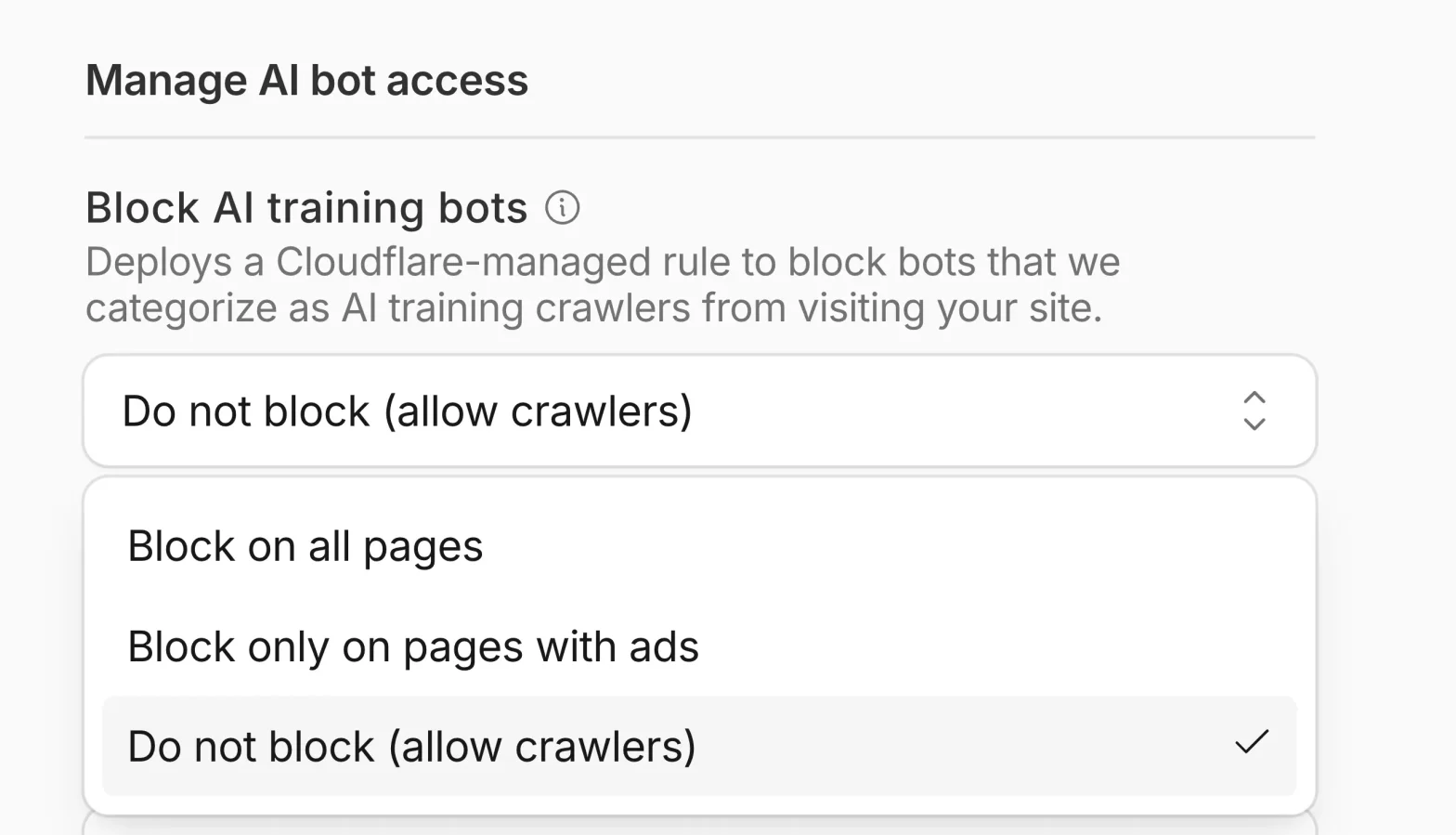
Cloudflare is introducing granular controls for AI traffic, letting site owners manage automated crawlers by behavior Search, Agent, and Training.
So you can keep beneficial bots while blocking those that just take your content. Starting September 15, 2026, new domains will default to blocking Training and Agent bots on ad-supported pages, while Search remains allowed.
Whats Changing?
Cloudflare now classifies AI/bot traffic into three distinct behaviors you can control independently:
- Search: Crawlers that index your content to answer questions later (e.g., search engines, AI search). These typically drive referral traffic or other compensation, so they’re generally allowed.
- Agent: Real-time automated activity acting on a user’s behalf (e.g., chat fetch bots, browser-use agents).
- Training: Crawlers that scrape your content to train or fine-tune AI models.
For each category, you can choose to:
- Block on all pages
- Block only on pages that display ads
- Do not block
This means you can allow search indexing while preventing your content from being used to train models or tailor rules per page type.
New defaults for new domains (Sept 15, 2026)
From September 15, 2026, newly onboarded Cloudflare domains will get updated default rules:
- Training bots: blocked on pages that display ads
- Agent bots: blocked on pages that display ads
- Search bots: allowed
Multi-purpose crawlers that mix Search + Training will be affected by the Training block under these defaults. Existing customers and new domains can opt out of these defaults before the change date.
Why This Control Matters?
Protect revenue and control: You can keep crawlers that send readers (Search) while limiting those that monetize your content without reciprocation (Training).
- Granularity by page: Ads-backed pages get stricter defaults, reflecting the economic impact of scraping on monetized content.
- Available to all plans: These controls aren’t limited to enterprise. Free plan customers get them too.
How to Use It? (practical steps)
While the changelog doesn’t detail UI paths, expect to find these under Cloudflare’s bot management / AI traffic settings:
- Identify which AI behaviors matter to your site (Search vs. Training vs. Agent).
- Decide your policy per behavior (allow, block on ad pages, block everywhere).
- For new domains, review the Sept 15 defaults and opt out if they don’t match your strategy.
- Monitor bot traffic and referral patterns after changes to ensure search visibility isn’t harmed.
Related Topics