Google Pics: AI Image Creation and Editing Inside Google Workspace
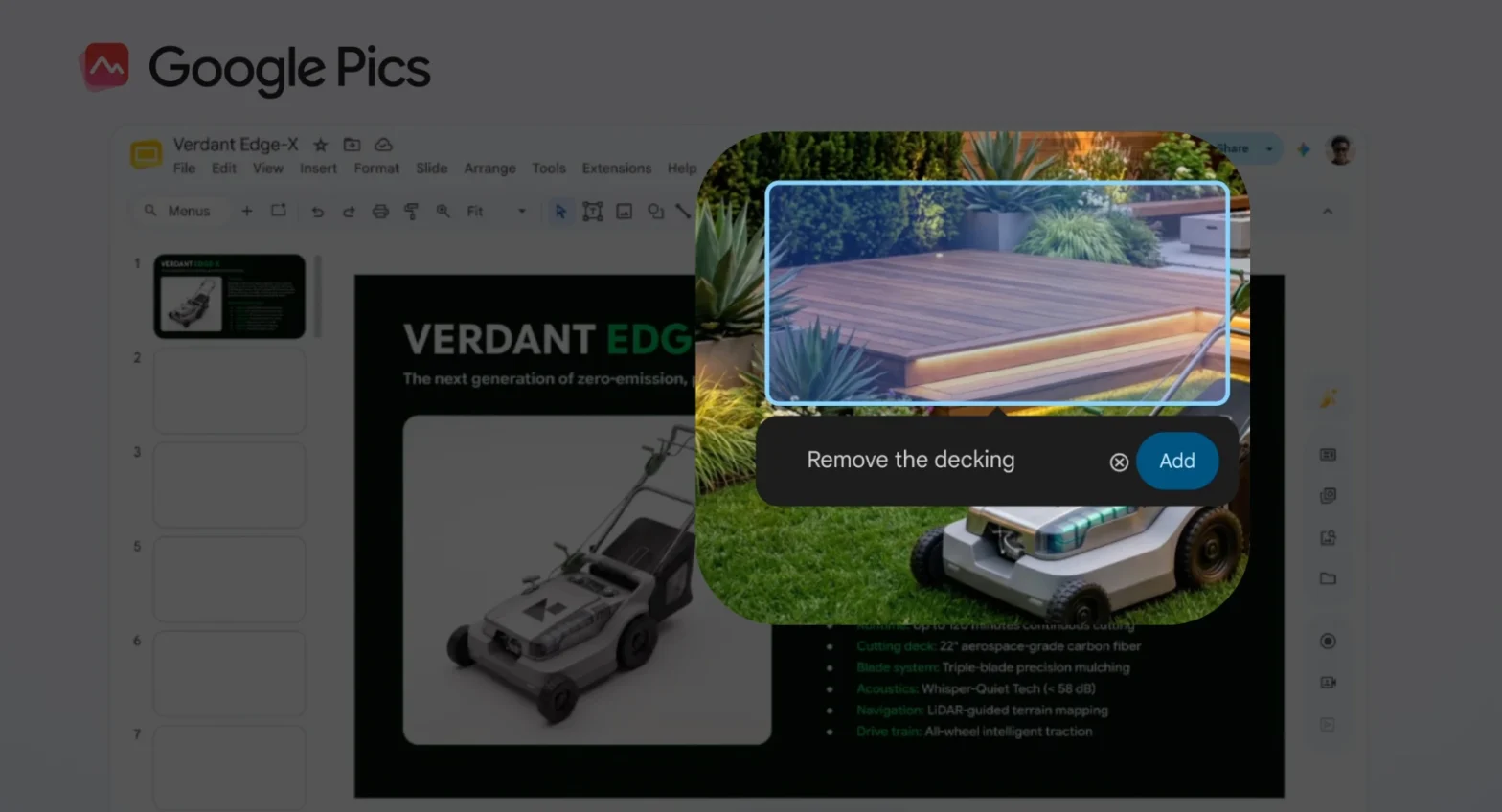
Google has launched Google Pics, a new AI-powered image creation and editing tool that’s now rolling out to Google Workspace users and Google AI subscribers. Built on Google’s Nano Banana image model, Pics lets you generate, refine, and collaborate on visuals without leaving your workflow.
What Are the Key Features?
Google Pics is designed for precise, collaborative image work rather than just “prompt-and-pray” generation.
- Object segmentation: Isolate and edit specific objects in an image (e.g., a product, person, or background element) without affecting the rest of the composition.
- In-image text editing and translation: Change or translate text embedded in an image while preserving fonts and layout.
- Multiple generations from one prompt: Get several image options from a single text prompt and pick the best.
- Real-time collaboration: Share a Pics project and co-edit the same image with teammates, similar to Docs/Slides collaboration.
- Precision editing tools: Crop for web/social/print, upscale to 2K/4K, and use version history to revert changes.
- Standalone + in-app access: Use Pics at pics.new or directly inside supported Workspace apps.
How to Integrate Workspace?
Google Pics is native to Workspace, so integration is mostly about access and workflow, not complex setup.
Which Workspace Tools Can Integrate with Google Pics?
As of launch (September 1, 2026):
- Google Docs: Select an image in a document and open Pics’ editor as an overlay to refine it in place.
- Google Slides: Generate and edit presentation visuals directly inside your slides without switching tabs.
- Google Drive (coming soon): In the “coming weeks,” you’ll be able to open and edit nearly any image stored in Drive with a single click and drop Drive files into Pics to design concepts.
In practice, integration works like this:
- Open a Doc or Slide.
- Click an existing image (or insert a new one).
- Use the Pics option to launch the editor.
- Edit, then save changes back into the file.
Because Pics is part of Workspace, you also get familiar sharing and permission controls via Drive and Workspace collaboration features.
Is it free? Do I have access to Google Pics?
Google Pics is not a separate paid product; it’s included in specific existing plans.
Which Plans Can Access Google Pics?
As announced, Pics is rolling out to:
- Consumer / Personal:
- Google AI Pro
- Google AI Ultra
- Workspace Business & Enterprise:
- Business Standard
- Business Plus
- Enterprise Standard
- Enterprise Plus
- Education:
- Google AI Pro for Education (and related AI add-ons)
If you’re on one of these plans, you should see Pics become available in Docs and Slides (and soon Drive) as the rollout reaches your domain.
Source:
- https://workspaceupdates.googleblog.com/2026/09/google-pics-brings-pro-level-ai-image-creation-and-editing-to-Google-Workspace.html
- https://blog.google/products-and-platforms/products/workspace/google-pics/
- https://techgenyz.com/google-pics-ai-image-editing-workspace/