Heatmap Tools

A heatmap tool is a software that visually represents data using colors to show intensity, frequency, or patterns in data.
How Heatmap Tools Work?
- Data is collected from website interactions by users’ mouse actions.
- Values are assigned colors based on intensity.
- A heatmap is generated, making it easy to see patterns at a glance.
Why Use a Heatmap Tool?
Using a heatmap tool on a website helps analyze user behavior by visually representing where visitors interact the most. This helps to optimize web design, improve user experience, and increase conversions.
- Understand User Behaviour: See where users click, scroll, or hover the most, and identify which sections attract attention and which are ignored.
- Improve User Experience (UX) & UI Design: Detect usability issues, like hard-to-find buttons or navigation problems. Optimize the page layout by placing important elements where users engage the most.
- Boost Conversion Rates: Identify high-engagement areas and optimize CTAs (Call-to-Action buttons). Find and fix drop-off points in forms, landing pages, or checkout flows.
- Compare Mobile vs. Desktop Behavior: See the differences in how users interact across devices and optimize mobile UX by making sure buttons, menus, and content are easy to access.
Heatmaps are commonly used in various fields;
- Website & UX Analysis: Trackers show user behaviour on a website, such as where users click, scroll, or hover. It helps improve UI/UX design by identifying hotspots and dead zones.
- Business & Market Analysis: Visualizing sales performance, customer distribution, or product demand helps businesses make data-driven decisions.
Popular Website Heatmap Tools
There are many popular heatmap tools used for analyzing user behaviour on websites. It helps website owners, marketers, UX designers, and developers visualize how visitors interact with their site by tracking clicks, scrolls, and mouse movements.
Hotjar
Hotjar is one of the most popular heatmap tools, and the tool includes clicks, how often the mouse moves, and how far users scroll down the page.
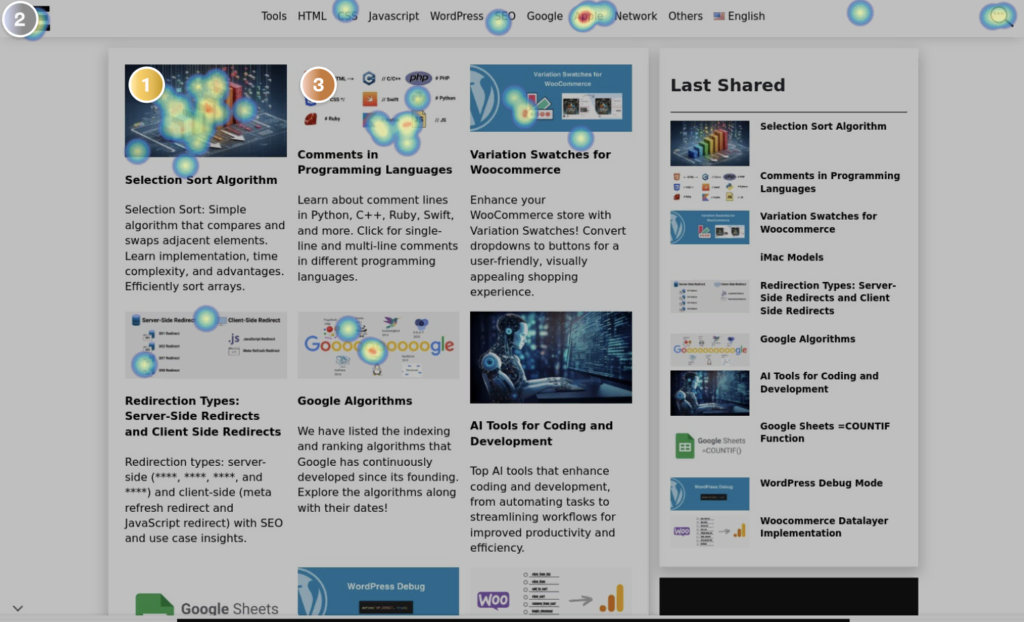
You can save heatmaps by page and monitor detailed stats after some time.
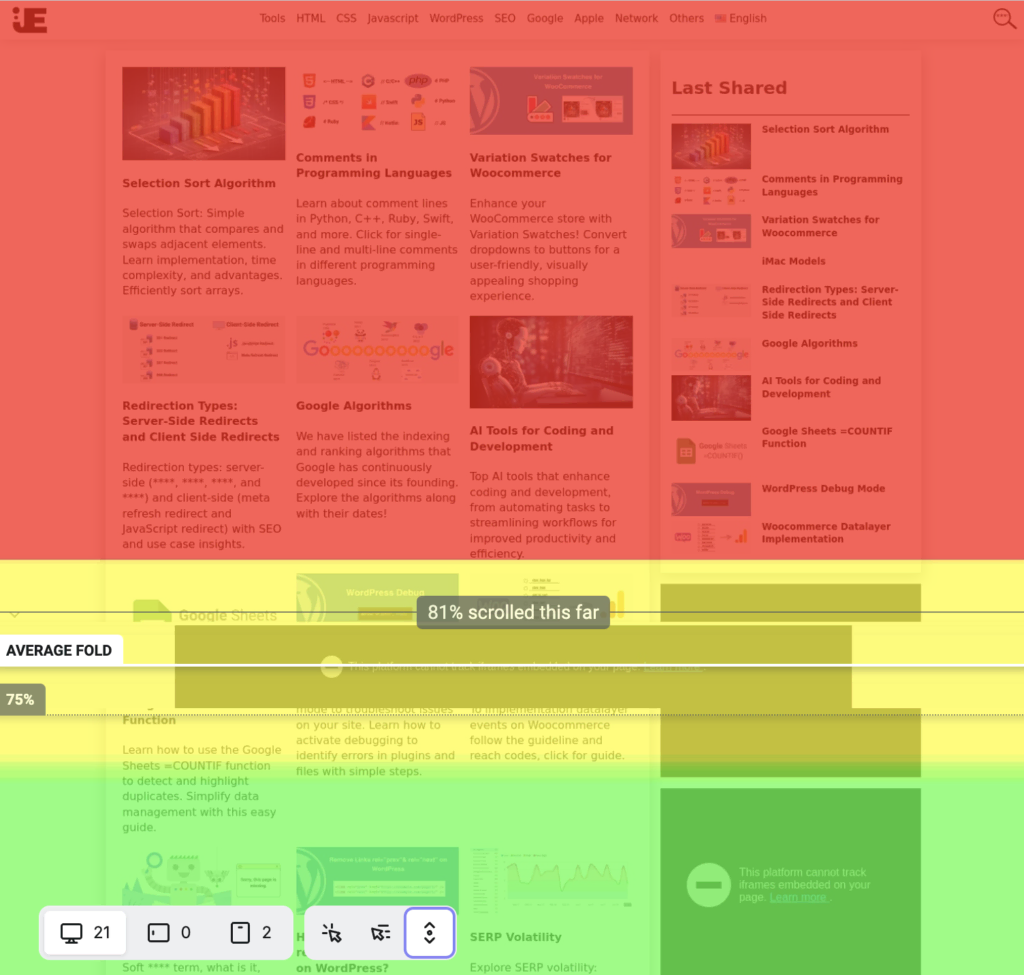
Scroll heatmap view
The tool separates desktop, tablet, and mobile views.
Hotjar heatmap is free on the basic plan and works with all major platforms (WordPress, Shopify, Wix).
Hotjar Link: https://www.hotjar.com/
Microsoft Clarity
Clarity is another popular heatmap tool by Microsoft.
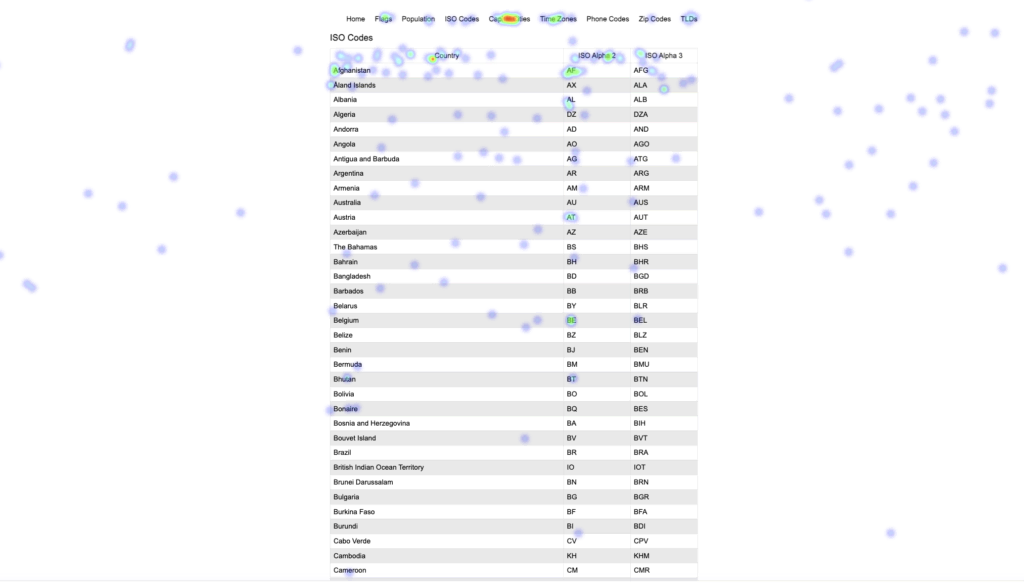
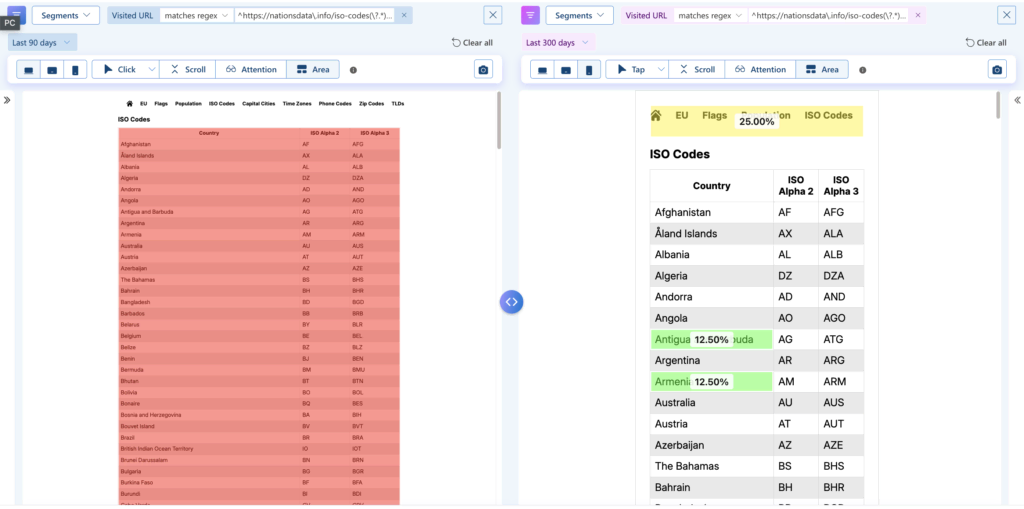
Clarity has a compare mode to view the differences between pages or devices.
Microsoft Clarity is free.
Microsoft Clarity Link: https://clarity.microsoft.com/
Yandex Metrica
Metrica is a heatmap tool by Yandex.
Yandex Metrica Link: https://metrica.yandex.com/promo/webvisor/
Crazy Egg
Crazy Egg has no free plan and only has a 30-day free trial.
Crazy Egg Link: https://www.crazyegg.com/