Website Migration Procedures
During the migration process, care must be taken to ensure the website is moved with minimal traffic and data loss.
Backup
At the very beginning of the process, a full backup of the existing website should be taken. In case anything goes wrong, the website can be restored from this backup.
The following should be backed up before the migration:
- Website files
- Database
- Media files
SEO Performance
- Page URLs should be migrated exactly as they are.
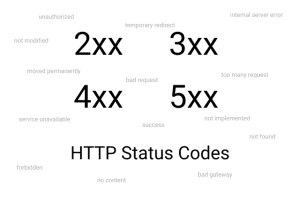
- If page URLs change, 301 redirects must be implemented to alternative pages to prevent 404 errors.
- If redirects are in place and there are 3xx links within internal linking, these links should be cleaned up.
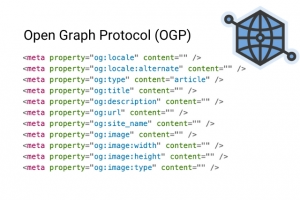
- Page content, meta titles, and meta description tags must be migrated.
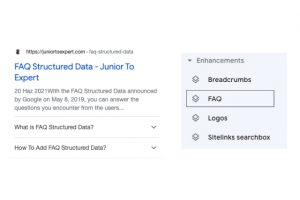
- Structured data should also be transferred.
- If there is a change in infrastructure, the new site’s
robots.txtfile should be reviewed again, as there may be URL patterns that need to be blocked. - Site speed performance should be carefully monitored. If the old website had good performance, the new site should be optimized to maintain the same level. If the previous site’s speed metrics were low, the new site should be fully optimized to achieve significantly better performance.
Choosing the Migration Time (Lowest Traffic Period)
During the website migration, traffic data should be analyzed to identify the time period with the lowest traffic. Performing the migration during this time helps minimize traffic loss.
Pre-Migration Testing
Before going live, the site should be tested locally or in a staging environment. The migration should only be carried out once everything is confirmed to be ready.
Potential Risks
- Traffic Loss: Even if links are properly redirected, traffic loss may occur during the period when search engines update page URLs.
- Redirect Errors: Incorrect redirects can refer to organic traffic loss and wasted advertising spend.
- Product Information for E-commerce Sites: Incorrect stock information or pricing can result in customer dissatisfaction.
Migration Checklist
Tracking the migration process using a checklist like the one below (or a similar one) helps improve the overall efficiency and success of the migration.
| Category | Checklist Item | Completed (✓) |
|---|---|---|
| Planning | Was a full site backup taken? | |
| Planning | Was the migration goal clearly defined? | |
| Planning | Was a timeline and low-traffic period selected? | |
| Planning | Was the entire team informed? | |
| SEO Preparation | Was a list of old URLs created? | |
| SEO Preparation | Is the 301 redirect plan ready? (Old URL → New URL mapping) | |
| SEO Preparation | Were critical pages (traffic/backlinks) identified? | |
| SEO Preparation | Were meta data (title, description, H1, etc.) copied? | |
| SEO Preparation | Were canonical tags updated to the new URLs? | |
| SEO Preparation | Are the sitemap and robots.txt prepared according to the new structure? | |
| Technical Checks | Is the SSL certificate installed and HTTP → HTTPS properly redirected? | |
| Technical Checks | Was mobile compatibility (responsive design) tested? | |
| Technical Checks | Were custom 404 pages and broken link checks completed? | |
| Technical Checks | Were internal links and media paths updated? | |
| Technical Checks | Was hreflang (if applicable) preserved and validated? | |
| Pre-Launch | Were all 301 redirects and functionalities tested on staging? | |
| Pre-Launch | Were analytics and Search Console (GTM/GA/GSC) codes added? | |
| Pre-Launch | Were forms, search, and payment flows tested? | |
| Pre-Launch | Were page speed tests (PageSpeed, GTmetrix) performed? | |
| Post-Launch | Are 301 redirects active on the live site? | |
| Post-Launch | Was the sitemap submitted to GSC and tested with fetch? | |
| Post-Launch | Are 404 errors regularly crawled and resolved? | |
| Post-Launch | Are traffic and rankings being monitored (GA/GSC/Ahrefs, etc.)? | |
| Post-Launch | Were key backlink sources updated with the new URLs? | |
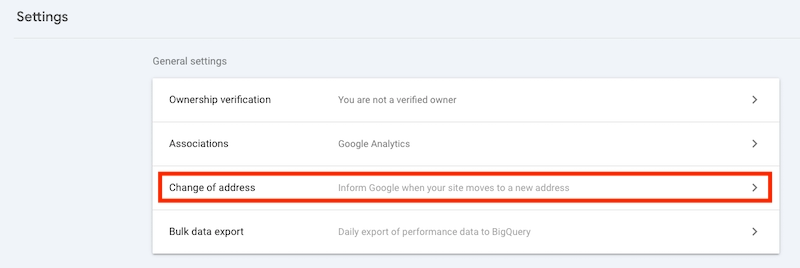
| Post-Launch | Is the old domain still active and redirected via 301s? |
Migration Checklist for E-Commerce Websites
In addition to the checklist items mentioned above, it is also recommended to review the following points specifically for e-commerce websites.
| Category | Checklist Item | Completed (✓) |
|---|---|---|
| Planning | Has a full backup of the website, database, and product images been taken? | |
| Planning | Have the migration goals and scope been clearly defined? | |
| Planning | Has a low-sales period (off-season / low-traffic period) been selected? | |
| Planning | Have IT, SEO, marketing, customer support, and operations teams been informed? | |
| SEO & URL | Has a complete URL list of all product, category, brand, and campaign pages been created? | |
| SEO & URL | Has the 301 redirect plan (old → new) been prepared? | |
| SEO & URL | Have meta data (title/description/H1) and structured data (Product/Offer/Review schema) been migrated? | |
| SEO & URL | Have canonical tags been updated to the new URLs? | |
| SEO & URL | Have the sitemap(s) and robots.txt been updated according to the new structure? | |
| Product Data | Have product name, description, price, stock, SKU, and GTIN/MPN fields been fully migrated? | |
| Product Data | Have product variations (size, color, bundle, etc.) been migrated correctly? | |
| Product Data | Have product images, galleries, and video files been migrated without issues? | |
| Product Data | Have category, filter, and attribute mappings (faceted navigation) been preserved? | |
| Customer Data | Have user accounts and passwords been migrated securely (hash compatibility / SSO)? | |
| Customer Data | Have customer order history, addresses, wishlists, and carts been migrated? | |
| Customer Data | Have product reviews and ratings been migrated? | |
| Payment & Shipping | Have all payment methods (credit card, bank transfer, cash on delivery, BNPL, etc.) been tested? | |
| Payment & Shipping | Have shipping/courier integrations (API labels, tracking numbers) been tested? | |
| Payment & Shipping | Are tax, invoicing, e-invoice/e-archive, and shipping fee rules working correctly? | |
| Technical Checks | Is the SSL certificate installed, and are HTTP → HTTPS and www/non-www redirects correct? | |
| Technical Checks | Are mobile compatibility and the checkout flow (guest/member) working smoothly? | |
| Technical Checks | Are site speed tests (LCP/INP/TTFB) and CDN configuration completed? | |
| Technical Checks | Have custom 404 pages and broken link/redirect chain checks been completed? | |
| Pre-Launch | Has the full order flow (add to cart → payment → invoice → shipping) been tested in the staging environment? | |
| Pre-Launch | Have GTM/GA4, GSC, pixels, and conversion events (purchase, add_to_cart, view_item) been verified? | |
| Pre-Launch | Was inventory/stock synchronization performed immediately before going live? | |
| Post-Launch | Are 301 redirects active and being monitored in production? | |
| Post-Launch | Have sitemap(s) been submitted to GSC, and have critical pages been tested with fetch & render? | |
| Post-Launch | Are traffic, conversion rate (CR), average order value (AOV), and sales being closely monitored? | |
| Post-Launch | Are customer complaints and support requests (especially payment/delivery-related) being regularly monitored? | |
| Post-Launch | Are promotions, coupons, gift cards, and campaigns working correctly? |